Request
Capture calls, emails and customer messages while the context is fresh.
 Cuotaro
Service operations software
Cuotaro
Service operations software
Simple service operations
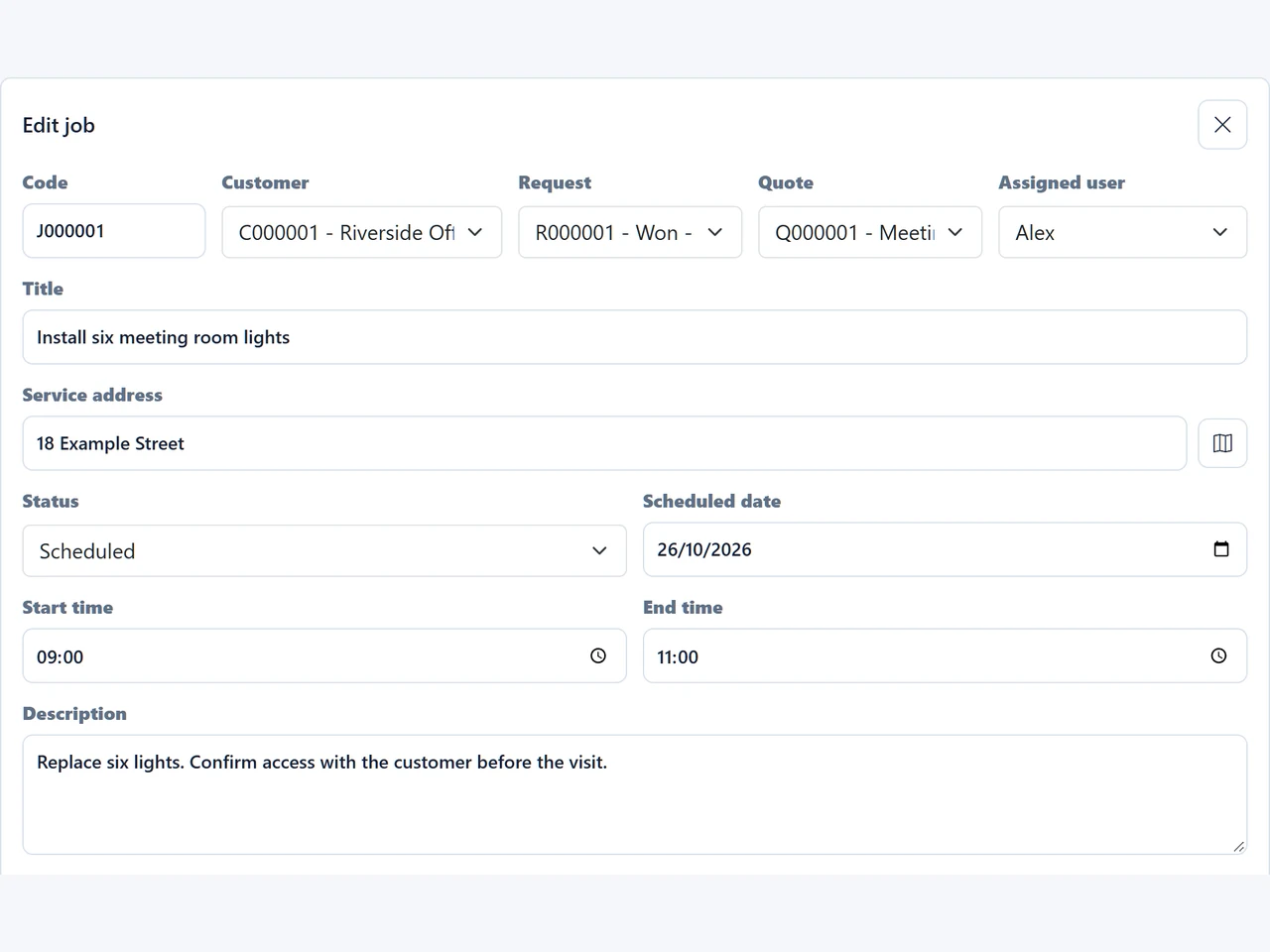
Give accepted work a date, time and responsible team member. Keep the service address, notes, files and status linked to the customer, request and quote.
When no quote is needed, a job can start directly from a request.
Capture calls, emails and customer messages while the context is fresh.
Build priced lines, totals and customer-ready PDF quotes.
Schedule accepted work and keep notes, maps and files together.
Track due dates, collections, refunds and unpaid work.
When a quote is approved, the work needs a date, status, assigned person, job notes and eventually completion details.
Small service businesses often receive work through calls, email, WhatsApp, SMS, customer messages and referrals. The hard part is not usually the lack of tools. It is that the work is spread across too many places, so requests, quote follow-ups, job notes, photos and payment status become harder to trust.
Cuotaro keeps the workflow explicit: request, quote, job and payment. Each record is there to help the business move to the next operational step, not to create another database to maintain.
Cuotaro keeps the scheduled job connected to the customer, request and quote that created it.
Cuotaro is deliberately narrow. Its value is simplicity, speed and access from the devices a small service business already uses.
From a job, the team can keep status, schedule, service address, notes, files and payment context close to the work.
Maps and customer messaging actions help the job record remain useful during the day, not only after the work is finished.
Questions
It is for micro service businesses, owner-operators and small teams that already handle real customer requests and need a simpler way to move work from request to quote, from quote to job and from job to payment.
A spreadsheet can store rows, but it does not naturally connect customers, requests, quote PDFs, jobs, reminders, files, templates and payment follow-up. Cuotaro is organized around the operational sequence and the quick actions that happen around each customer.
Cuotaro is not a general CRM. It is a lighter operations workspace for service businesses that need to manage requests, quotes, jobs, follow-ups, files and pending payments without a broad sales pipeline.
No. Cuotaro is focused on operational tracking. It helps users record expected collections, paid dates, refunds and unpaid amounts, while legal invoicing and accounting stay outside its core scope.
Open https://cuotaro.com/app/ from a browser. The app lives under the same Cuotaro domain and works as a web workspace for computers, tablets and phones.
Use the product information form or email Cuotaro directly. We will reply by email with the product context that is relevant to your service business.
Product information
Tell us about your service business and we will reply with the Cuotaro information that is most relevant to you.
Already working with Cuotaro?
Open the appNext step
Try TEAM 2 with your own service work for 21 days: 2 users, 8 GB storage and full functionality. No payment details required. If you prefer to ask first, use the form and we will reply by email.