Request
Capture calls, emails and customer messages while the context is fresh.
 Cuotaro
Service operations software
Cuotaro
Service operations software
Customer request management
Record requests from calls, emails or messages. Keep customer details, the service address, notes and status together, then set a reminder for the next step.
Capture calls, emails and customer messages while the context is fresh.
Build priced lines, totals and customer-ready PDF quotes.
Schedule accepted work and keep notes, maps and files together.
Track due dates, collections, refunds and unpaid work.
A customer calls about a repair, emails a photo or sends a message asking for a visit. Before you can book the work, you may need more information, a site inspection or agreement on the price.
Cuotaro gives that request a record of its own. Keep the customer's details, service address, description, notes and files together, review its status and set a linked reminder for the next action. Early inquiries stay separate from confirmed jobs.
Record the request while the conversation is still fresh. A short, clear description helps another team member understand what the customer needs without asking them to repeat it.
Use notes for missing information and the agreed next step, attach the relevant photos or documents, and create a reminder when someone needs to act by a particular date.
An office manager at the fictional Riverside Offices asks you to replace six meeting room lights. You know the address, but still need photos of the existing fittings and a suitable time to visit. Create the request, note what is missing and set a reminder to call the customer.
When the photos arrive, attach them to the request and update your notes. After checking the scope, prepare a quote linked to the same customer and request. Once the customer accepts, create the job and agree the installation date. If the work can be agreed without a quote, you can create the job directly.
The free request template is a useful way to try this approach in Excel or Google Sheets. The English tutorial explains how to record the request, decide the next action and recognize when a connected app becomes useful.
For a step-by-step guide, see how to track service requests from calls, emails and messages.
Create a quote when the customer needs to agree the scope and price before work begins. Create a job when the work has been accepted and needs a schedule, assigned team member and instructions for the visit.
Cuotaro links these records so the team can refer back to the original request, the quote and the supporting files. After the job, a linked payment record keeps the expected amount, due date and payment received in context. Payment tracking supports day-to-day follow-up alongside your invoicing and accounting tools.
Follow the next stage in the quote and job tracking workflow.
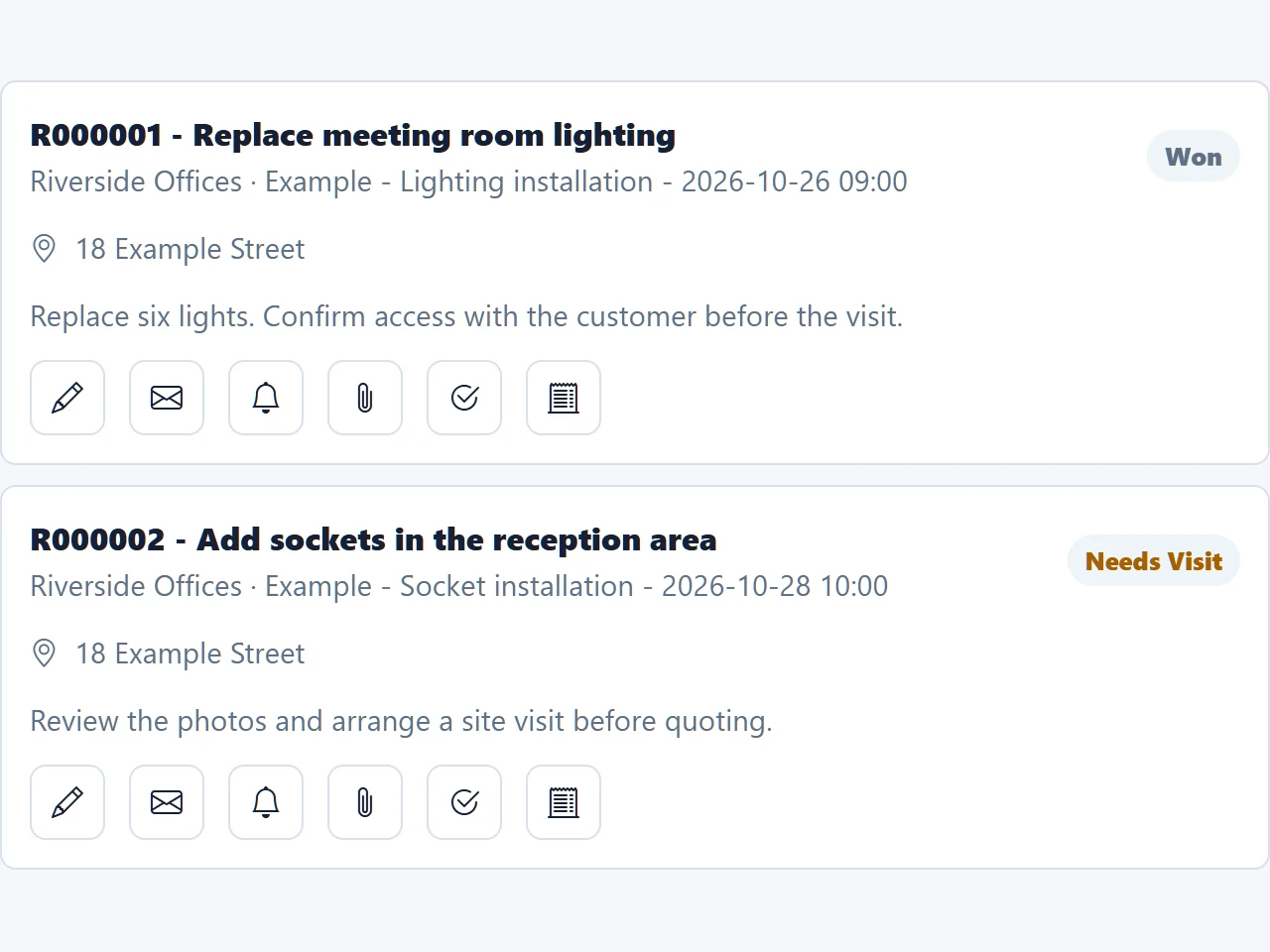
Use the request list to review what is still open and what has moved forward. In the example workspace above, the lighting request is marked Won, while a separate socket installation request is marked Needs Visit. The descriptions explain what each request involves.
The next action belongs in your notes and linked reminders, rather than in someone's memory. Assign the reminder to the team member who will make the call or arrange the visit. Email reminders go to that team member; contacting the customer remains a separate action.
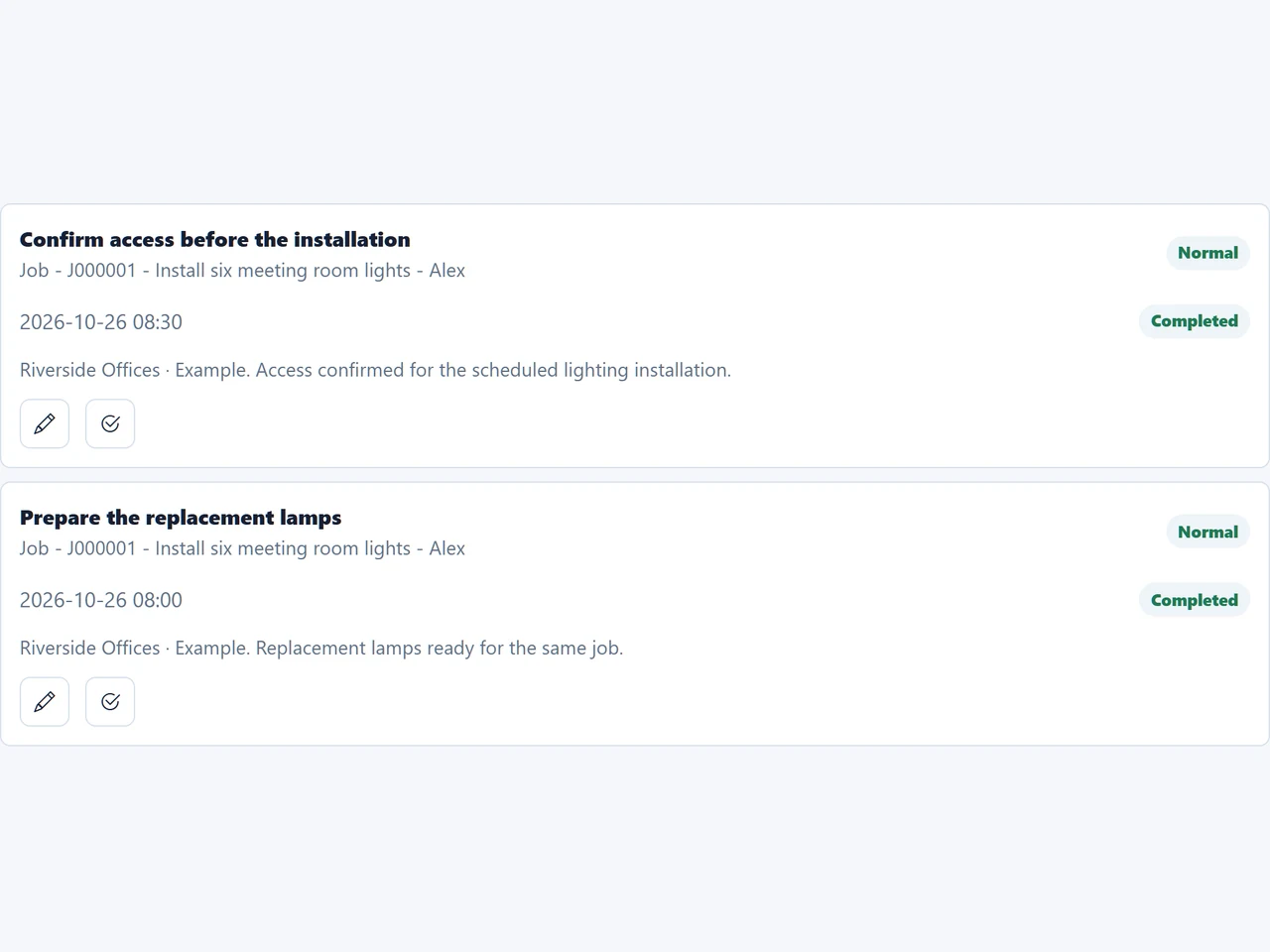
Continue that habit after scheduling the job. The example below shows completed reminders to confirm access and prepare the replacement lamps for the same lighting installation.
See how to keep callbacks and other next steps visible with job follow-up reminders.
A service request records work a customer may need. A quote sets out the proposed scope and price. A job records the service you have agreed to deliver. Keeping those stages distinct helps you avoid treating every inquiry as a confirmed booking.
Help desk tickets usually focus on support conversations and resolution. Cuotaro focuses on small service businesses handling customer requests, quotes, scheduled work and payment follow-up. It suits that operational workflow rather than a help desk built around ticket queues and service-level agreements.
You can keep using the channels your customers prefer. Record the important details from calls, emails or WhatsApp messages in Cuotaro and attach relevant files yourself. Cuotaro does not automatically collect incoming conversations into a shared inbox.
A spreadsheet can work well for a small request register. A connected app becomes useful when several people need to find the same customer details, follow up an open request or carry its context into a quote and job.
Installers, repair businesses and maintenance teams often need a clear handover from the first inquiry to the finished job. Start with one active request, add the information you already have and decide what needs to happen next.
Cuotaro brings requests, quotes, jobs, files, reminders and payment follow-up together. If you need advanced dispatching, route optimization or stock control, compare those requirements with specialist tools before choosing your system.
Questions
It helps a service business record incoming customer needs, keep details and files together, review progress and follow up the next action. In Cuotaro, a request can lead to a quote or a scheduled job.
Start with the customer, contact details, service address, a short description and the source of the request. Add notes, photos and files as needed, keep the status up to date and set a linked reminder for anything that needs a follow-up.
Create a quote when the customer needs to agree the scope and price before work begins. Keep the quote linked to the request so you can refer back to the original details.
Yes. You can create a job directly from a request when the work has been agreed and no separate quote is needed. Add the schedule, assigned user and instructions for the visit.
Yes. Link a reminder to the customer and request, set its due date and assign it to a team member. Email reminders go to the assigned team member, who can then contact the customer or take the next action.
No. Record the relevant conversation details and attach supporting files yourself. Cuotaro keeps those details connected to the work; it does not provide an automatic inbox for incoming email or WhatsApp conversations.
Cuotaro is designed for service businesses tracking customer requests, quotes, jobs and payment follow-up. It is not a specialist help desk for support ticket routing and service-level agreements.
Yes. The free English CSV template opens in Excel or Google Sheets and includes a fictional example. It works as a standalone request register and is not an import file for Cuotaro.
Product information
Tell us about your service business and we will reply with the Cuotaro information that is most relevant to you.
Already working with Cuotaro?
Open the appNext step
Try TEAM 2 with your own service work for 21 days: 2 users, 8 GB storage and full functionality. No payment details required. If you prefer to ask first, use the form and we will reply by email.